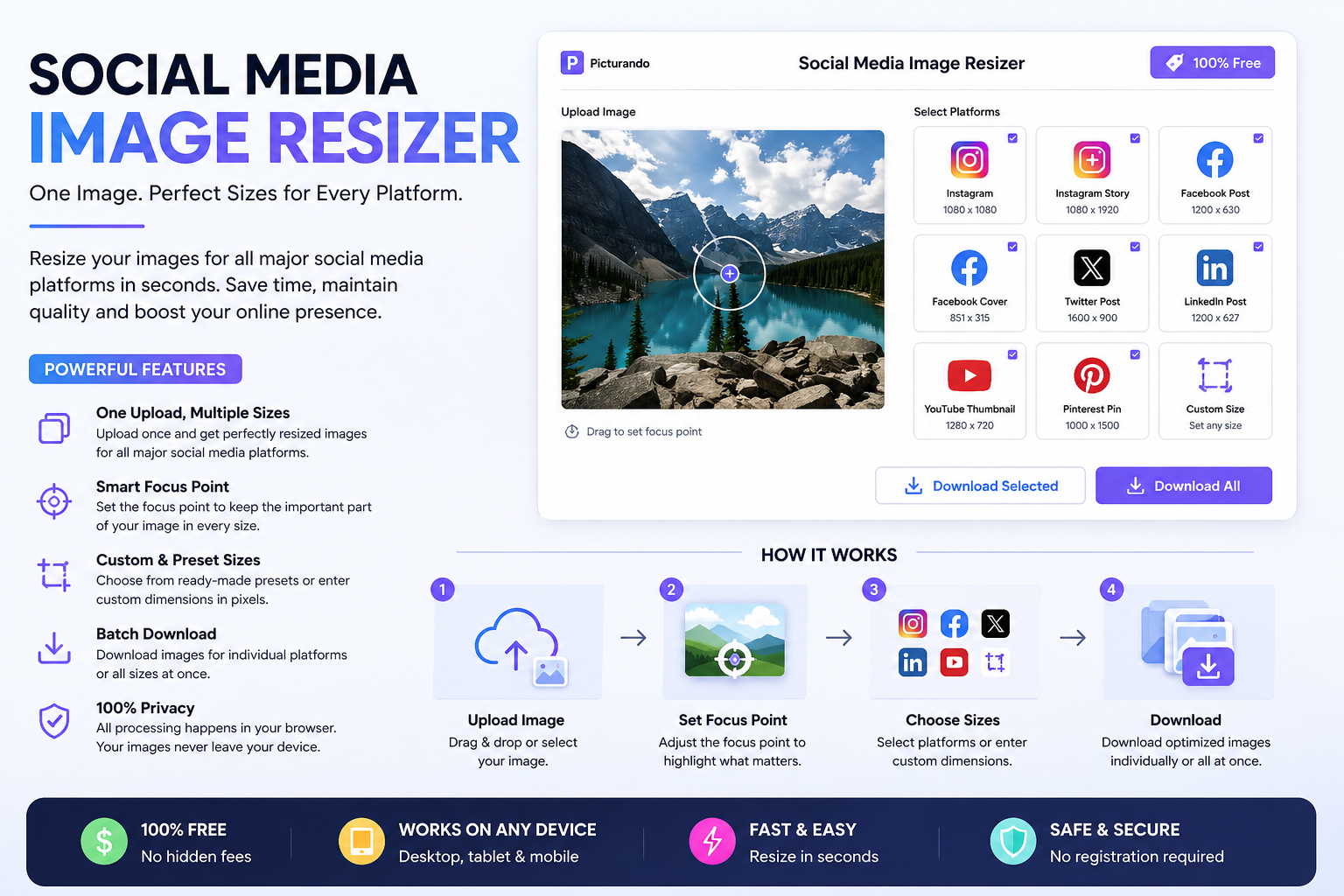

In today’s digital landscape, visuals dominate platforms like Instagram, Facebook, LinkedIn, and YouTube. However, simply uploading an image is not enough—each platform requires specific dimensions to display content correctly. That’s where tools like Picturando Social Media Image Resizer become essential.
Why Resizing Images for Social Media Matters
Using properly resized images isn’t just about aesthetics—it directly impacts performance, engagement, and brand perception.1. Improve Image Quality Across Platforms
Every social media platform automatically compresses and resizes images. If you upload the wrong dimensions, your visuals may appear blurry or cropped. By resizing images beforehand, you maintain control over how they look.2. Boost Engagement and Performance
Oversized images can slow loading times and reduce engagement. Many marketers have observed that optimized images load faster and perform better in feeds, leading to improved interaction rates. (Reddit)3. Maintain Brand Consistency
Consistent image sizes across platforms help create a cohesive brand identity. Using a single base image and adapting it to multiple formats ensures uniformity in your visual communication.4. Save Time and Simplify Workflow
Instead of manually editing images for each platform, a social media resizer automates the process—allowing you to generate multiple versions instantly.Features of Picturando Social Media Image Resizer
The Picturando Social Media Image Resizer is designed to simplify and optimize your workflow with a set of powerful yet easy-to-use features.✔ One Upload, Multiple Outputs
Upload your image once and generate perfectly sized versions for all major platforms, including Facebook, Instagram, Twitter, LinkedIn, YouTube, and Pinterest.✔ Smart Focus Point Control
The tool allows you to set a focus point on your image, ensuring that important elements (like faces, products, or text) remain visible across different aspect ratios.✔ Preset Sizes for All Platforms
Predefined dimensions for stories, posts, covers, thumbnails, and ads eliminate guesswork and ensure compliance with platform requirements.✔ Custom Resize Options
Need a specific size? You can manually set width and height in pixels for complete flexibility.✔ Batch Export Options
Download images individually for each platform or export all recommended sizes at once—ideal for content creators managing multiple channels.✔ 100% Privacy & No Registration
All processing happens directly in your browser, meaning your images are not uploaded or stored on servers. This ensures maximum privacy and security.✔ Free and Accessible Anywhere
The tool is completely free and works on any device—desktop, tablet, or mobile—without requiring installation.How It Works
Using the tool is straightforward:- Upload your image via drag-and-drop or file selection
- Adjust the focus point to highlight key elements
- Select desired platforms or custom sizes
- Download optimized images instantly
Who Should Use a Social Media Image Resizer?
- Content creators managing multiple social accounts
- Digital marketers running campaigns across platforms
- Businesses and brands maintaining visual consistency
- Bloggers and website owners optimizing images for sharing