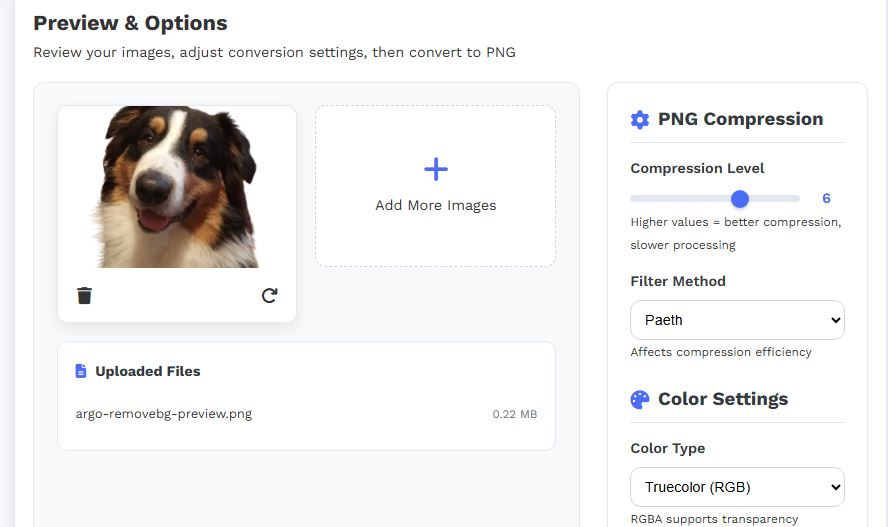

Whether you’re a designer, developer, marketer, or casual user, having access to a reliable PNG converter online can significantly improve how you handle images. Tools like the one available on Picturando PNG Converter make the process fast, accessible, and efficient.
What Is a PNG Converter?
A PNG converter is an online tool that allows you to transform images from various formats (JPG, WebP, GIF, etc.) into PNG (Portable Network Graphics) format. It often supports conversions both to and from PNG, making it versatile for different use cases.
PNG is widely used because it offers lossless compression and transparency support, making it ideal for logos, graphics, and web elements.
Why a PNG Converter Is Helpful
1. Preserve Image Quality
Unlike formats such as JPG, PNG uses lossless compression, meaning your image retains full quality even after conversion. This is essential for graphics, text-based images, and design assets.
2. Transparency Support
PNG allows transparent backgrounds, making it perfect for:
- Logos
- Icons
- UI elements
- Overlays
3. Web Optimization
PNG images are widely supported across browsers and platforms, ensuring compatibility for websites and apps.
4. Easy Format Compatibility
Many tools or platforms require specific formats. A PNG converter ensures your images are always compatible without needing advanced software.
5. No Software Installation
Online tools work directly in your browser, so you don’t need to download or install anything.
Key Features of the Picturando PNG Converter
Multi-Format Conversion
- Convert images to PNG from formats like JPG, WebP, GIF, SVG, and more
- Supports reverse conversions (PNG to JPG, PNG to WebP, etc.)
Browser-Based Processing
- Images are processed directly in your browser
- Files are not stored on servers, enhancing privacy and security
Simple Workflow
- Upload or drag & drop your image
- Select PNG as output
- Download instantly
Integrated Image Tools
- Resize, compress, or edit images before/after conversion
- Access additional tools like background removal and filters
Batch & Advanced Options
- Process multiple images (depending on tool capabilities)
- Additional automation and editing features available
Video tutorial
Pros and Cons
Pros
- Free to use with no registration required
- High-quality output thanks to PNG’s lossless compression
- Privacy-focused processing
- Wide format support
- All-in-one platform with additional image tools
Cons
- Larger file sizes compared to formats like JPG or WebP
- Performance depends on your device (browser-based processing)
- Advanced batch features may be limited
- Not ideal for photos where smaller size is preferred over quality
When Should You Use a PNG Converter?
A PNG converter is especially useful when:
- You need transparent backgrounds
- You want maximum image quality
- You’re working on web design or UI projects
- You need cross-platform compatibility
Final Thoughts
An online PNG converter like the Picturando PNG Converter is a practical solution for anyone dealing with digital images. It simplifies the conversion process, preserves quality, and eliminates the need for complex software. While PNG isn’t always the smallest format, its advantages—especially quality and transparency—make it essential for many creative and professional workflows. If you frequently work with images, having a reliable PNG converter in your toolkit can save time, improve results, and streamline your entire workflow.