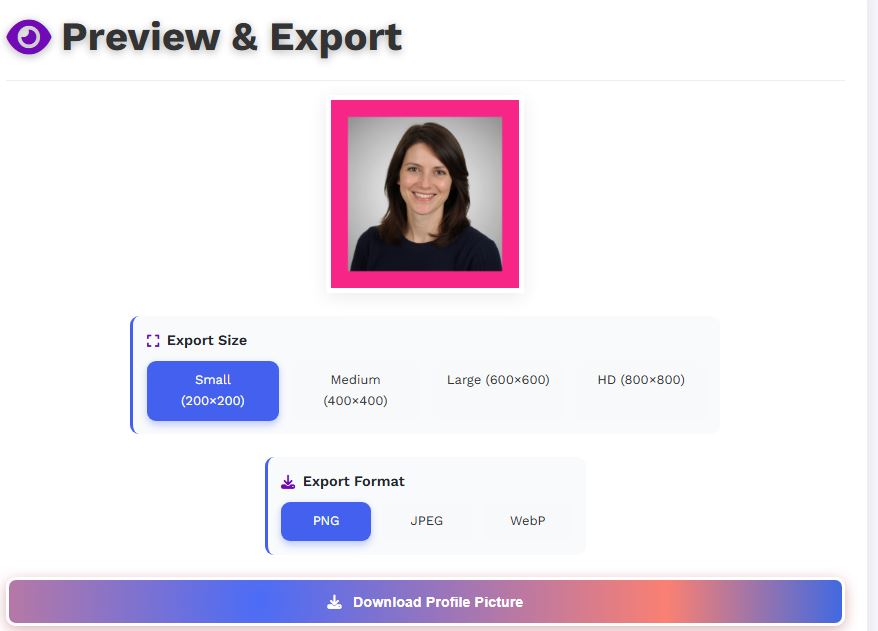

In today’s digital world, your profile picture is often the first impression you make online. Whether it’s for social media, business platforms, or gaming profiles, having a polished and eye-catching avatar can significantly impact how others perceive you. That’s where the Profile Picture Maker from Picturando comes in—an easy-to-use, browser-based tool designed to help you create stunning profile images without any design skills.
Why a Profile Picture Maker Is Helpful
A dedicated profile picture tool simplifies what would otherwise require advanced editing software. Instead of learning complex tools like Photoshop, users can achieve professional results in just a few clicks. Here’s why tools like this are valuable:- Instant professionalism – Turn casual selfies into clean, polished avatars
- Platform optimization – Ensure correct dimensions for social media profiles
- Time-saving – No need for manual editing or design expertise
- Consistency – Create uniform profile images across multiple platforms
Key Features of Picturando Profile Picture Maker
1. Easy Image Upload & Editing
Simply upload your image and start editing immediately—no registration required. The platform supports quick adjustments like resizing, cropping, and repositioning.2. Cropping for Perfect Framing
Create square or circular profile pictures with precision cropping tools, ensuring your face or logo is perfectly centered.3. Background Customization
You can adjust or enhance backgrounds to make your image cleaner and more visually appealing.4. Text, Shapes, and Styling
Add text overlays, shapes, or visual elements to personalize your profile image using built-in editing features.5. Privacy-First Processing
One standout feature is local image processing—your images are edited directly in your browser and are not uploaded or stored on servers.6. Cross-Device Compatibility
The tool works seamlessly on desktop, tablet, and mobile devices without requiring installation.Pros and Cons
Pros
- 100% free and no sign-up required
- Beginner-friendly interface
- Fast processing directly in the browser
- Strong privacy protection (no server uploads)
- Works on any device and browser
Cons
- Limited advanced AI styling compared to premium tools
- Fewer preset templates than some competitors
- Manual editing may be needed for highly polished results
Who Should Use This Tool?
- Professionals needing a clean LinkedIn-style headshot
- Content creators building a consistent personal brand
- Businesses creating logos or team profile images
- Casual users who want a better-looking avatar quickly